

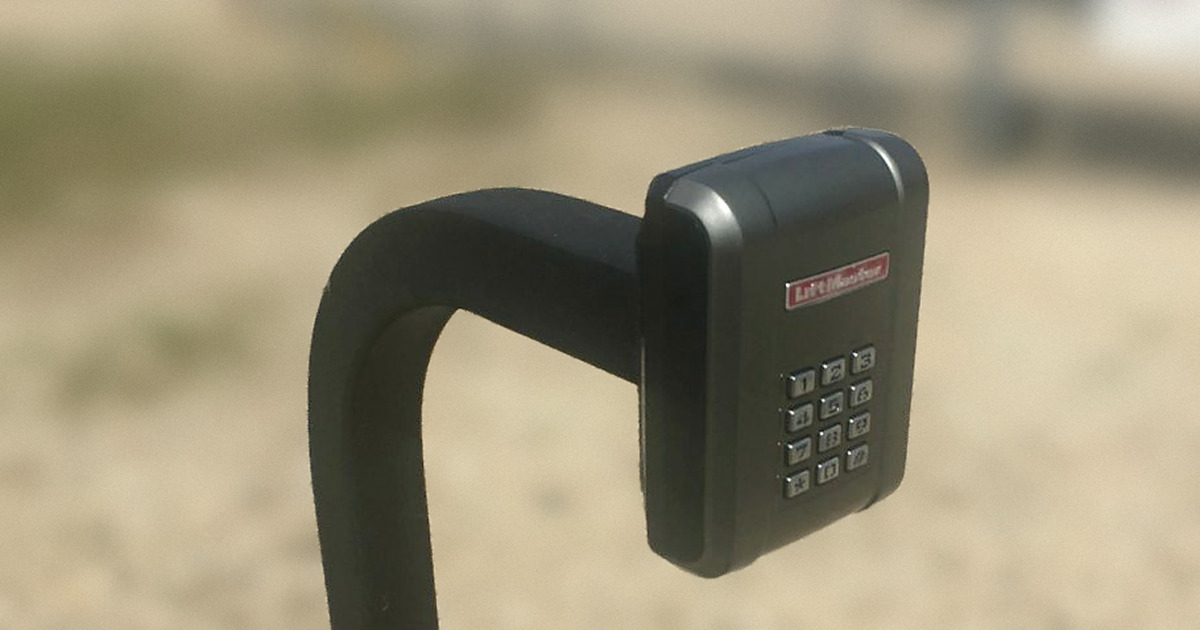
A new LiftMaster wireless keypad on a gooseneck post, right after install. On a keypad that supports guest PINs, you can hand out a temporary code instead of a spare remote.
Thanksgiving is Thursday, November 26. If you live behind a driveway gate and you are hosting this year, you already know the routine: cars pulling up all afternoon, somebody calling from the gate, and someone else getting up from the table to let them in. A lot of hosts solve it by handing a spare remote to the first relative who asks. That works, until the remote goes home in somebody’s coat pocket.
There is a cleaner way. If your gate has a LiftMaster KPW5 or KPW250 wireless keypad, you can give your guests a temporary gate code that works only as many times as you choose, then delete it when the holiday is over. This guide walks through how that works, how to set one up, and what to do if your keypad is a different kind.
Why a guest code beats lending out a remote
A remote is a key to your property. Once it leaves your hands, you do not really know where it is. A temporary code is different:
- You set the limit. On a KPW5 or KPW250, each temporary PIN works for the number of uses you pick, from 1 to 9.
- You can take it back. When the holiday is over, you delete the code. Nothing has to be returned.
- Nobody leaves the table. Guests let themselves in, even if they show up after dinner has started.
- It works after dark. In mid-November the sun sets around 5:30 PM in Houston, so plenty of guests will pull up to the gate in the dark. The KPW keypad lights up when any key is pressed.
What a temporary PIN is on a LiftMaster KPW5 or KPW250
The KPW5 and KPW250 are LiftMaster wireless keypads made for gates and commercial doors. Besides your regular codes (up to 5 on the KPW5 and up to 250 on the KPW250), both models can store up to 10 unique temporary PINs. Here is what LiftMaster’s manual and product page say about them:
- A temporary PIN is 4 digits, just like a regular code.
- Each one is set for 1 to 9 uses.
- It cannot be the same as a code that is already programmed.
- You can delete a single PIN and everyone else’s code keeps working.
That makes it a good fit for a holiday: one code per family or household, a sensible number of uses, and an easy cleanup afterward.
How to set a temporary gate code for guests
You need the keypad’s 6-digit master code to do this. These steps come straight from LiftMaster’s KPW5 and KPW250 manual. Do it at the keypad, and give yourself a minute or two.
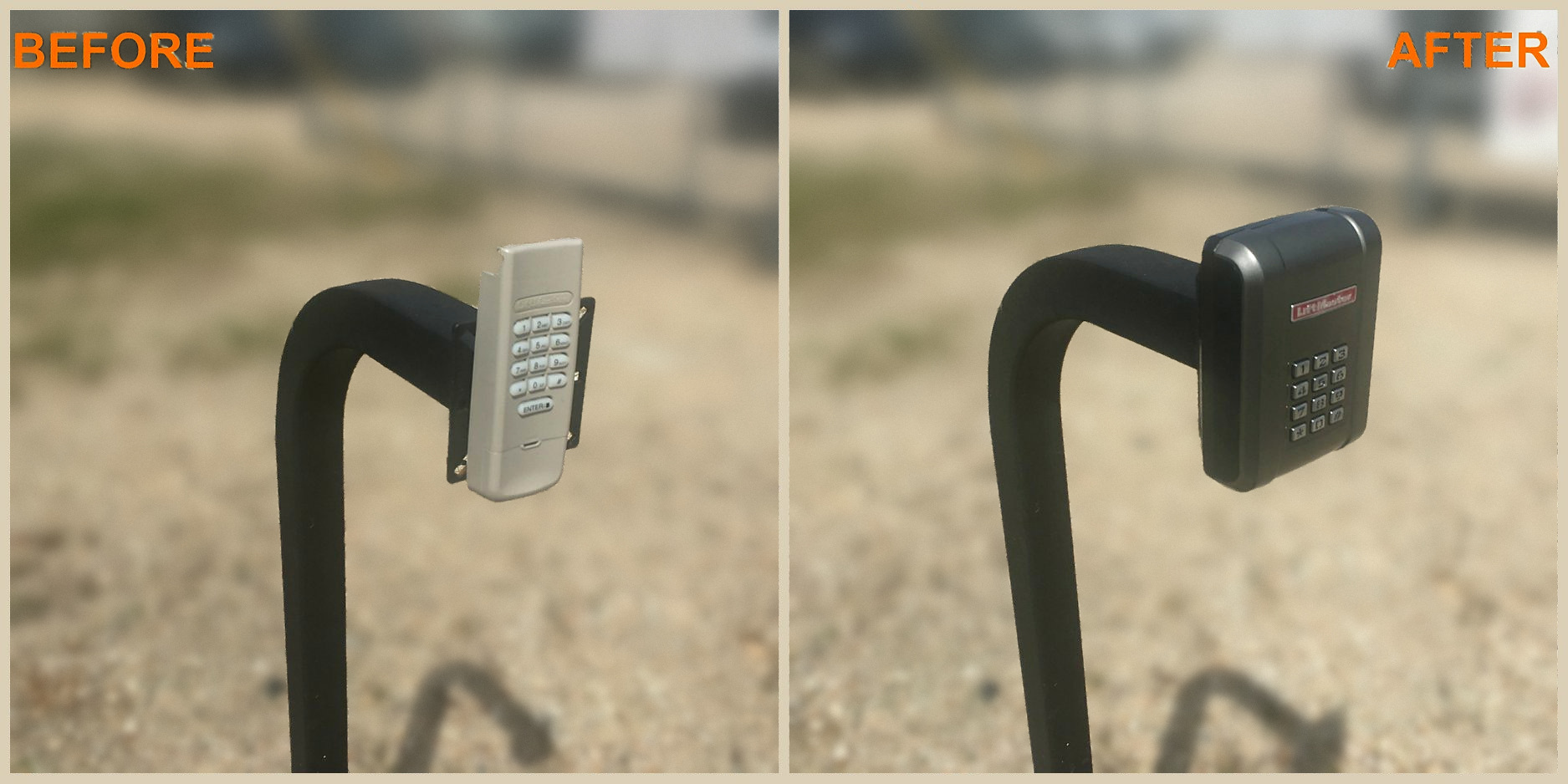
Before and after: an old beige keypad swapped for a new black LiftMaster wireless keypad on the same gooseneck. Not every keypad supports temporary guest codes, so check what is on your gate before the holiday.
1. Enter programming mode. Press *, enter your 6-digit master code, then press #. You will hear a long tone, and the backlight stays on while you are in programming mode.
2. Set the temporary PIN. Press 0 5 #, enter the new 4-digit guest code and press #, enter the same code again and press #, then enter the number of uses (1 to 9) and press #. A long tone means it took.
3. Exit programming mode. Press * * #. The backlight turns off.
A few things to know before you start:
- If you stop pressing keys for 60 seconds, the keypad drops out of programming mode. Just start again.
- An error tone usually means that code is already in use, or the keypad is full. Pick a different code, or delete an old one first.
- If the keypad is still on the factory master code, LiftMaster recommends changing it to your own. The manual covers how.
Do not know your master code?
Resetting the master code means opening the keypad, and after a reset the keypad will not run the gate until it is programmed to the operator again. If you do not have the master code, give us a call instead of guessing. We can sort it out for you.
How many uses should each guest code get?
Each temporary PIN tops out at 9 uses, so think about how many times each guest will actually need to punch it in. Someone coming for dinner might need it once. A family making a run to the store for ice, or coming back the next day for leftovers, might need a few more.
- Give each household its own code. If one code gets passed around, you can delete it without touching anyone else’s.
- Keep track of who has which code. A quick note on your phone is plenty.
- Remember the limit of 10. The keypad stores up to 10 temporary PINs at a time.
- Staying for the week? For a house guest who will be in and out more than 9 times, a regular code you delete after they leave may make more sense.
Send the code before guests are on the road
Text the code ahead of time, so nobody is calling you from the driveway. It helps to include a short how-to:
- Which keypad to use, if you have more than one.
- Enter the 4-digit code, then press #. A long tone means it was accepted.
- Any key lights up the keypad for about 15 seconds, which helps after dark.
- If the code is entered wrong five times in a row, the keypad locks out for 30 seconds (that is the default setting). Wait it out and try again slowly.
After the holiday, delete the code
Once the last guest heads home, take the temporary codes off the keypad. From LiftMaster’s manual:
1. Press *, your 6-digit master code, then # (long tone).
2. Press 0 7 #, enter the 4-digit code you want to delete and press #, enter it again and press # (long tone).
3. Press * * # to exit.
Deleting one code does not change your own code or anyone else’s.
Does every gate keypad do this?
No. Temporary PINs with a set number of uses are a feature of the LiftMaster KPW5 and KPW250. Other keypads and entry devices work differently, and some have very little room for codes.
For example, LiftMaster’s manual for the LA400 swing gate operator says the operator can take up to 50 Security+ 2.0 remotes or KPW250 keypads, but only 2 keyless entries, with 1 PIN each. Program a third keyless entry and the first one is erased. On a setup like that, guest codes belong on a KPW keypad, not on the keyless entry.
Compatibility matters too. LiftMaster lists the KPW5 for Security+ 2.0 gate operators, while the KPW250 can also be set up for some older LiftMaster Security+ and Linear Multi-Code systems. If you are not sure what is on your gate, we can take a look.
If your gate has a telephone entry system instead of a simple keypad, guest codes are handled differently. See the FAQ on our telephone entry systems page for how to add or delete guest codes.
Keypad acting up, or want one added before guests arrive?
If the keypad is dark and silent when you press a key, LiftMaster’s manual points to the battery first. It runs on a 9V lithium battery that should last up to 5 years. A keypad also needs to be mounted where the person using it can see the gate move, and a wireless keypad has to be programmed to the gate operator before any code will work.
If your keypad is not cooperating, see our LiftMaster gate opener repair page, which covers remotes, keypads and myQ connectivity issues. If your gate does not have a keypad yet, our gate accessories page covers entrance and exit keypads.
Common questions about guest gate codes
How many temporary codes can a LiftMaster KPW keypad hold?
Both the KPW5 and the KPW250 store up to 10 unique temporary PINs, on top of your regular codes.
How many times can a guest use a temporary code?
You choose when you set it: anywhere from 1 to 9 uses.
Can I delete one guest code without changing mine?
Yes. You delete codes one at a time, and every other code keeps working.
Can I set a guest code on any gate keypad?
No. Temporary PINs with a use count are a KPW5 and KPW250 feature. Other keypads work differently, and a basic keyless entry on some operators holds only a couple of codes.
What if I do not know my master code?
Resetting it means opening the keypad and programming it to the gate operator again afterward. Give us a call and we can help.
Need help with your gate keypad? Call us.
Garage & Gate Service Pros has been taking care of driveway gates and gate openers for homeowners in Houston and the Houston area since 2012. We are a family owned business, accredited with the BBB with an A+ rating. If your keypad is not working, you do not know the master code, or you want a keypad added to your gate, give us a call and we will take it from there.
We serve Houston and nearby areas including Katy, Cypress, Sugar Land, Pearland, The Woodlands, Spring, Humble and Kingwood.
Call 281-928-1837 or request service online.